
Captain D's
Captain D'sFood & Drink
4.71.05K Reviews
- Version
- 3.2.0
- Installs
- 100.00K
- Age Rating
- Everyone
Screenshots
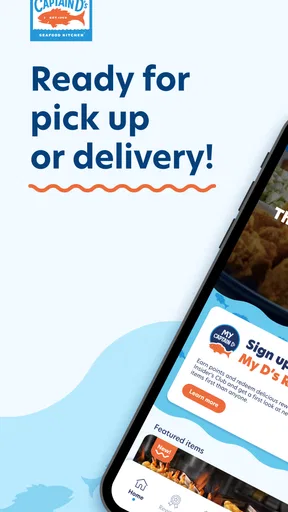
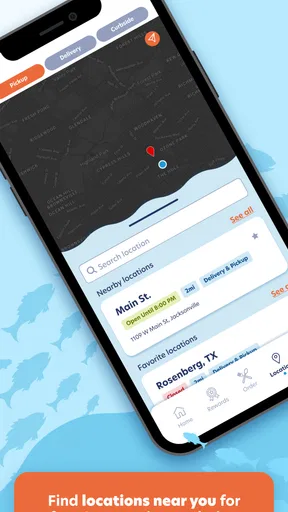
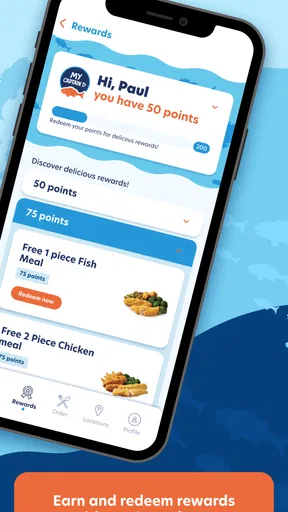
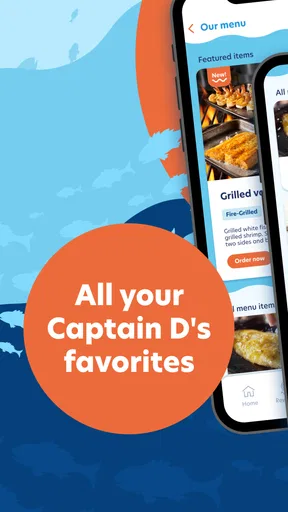
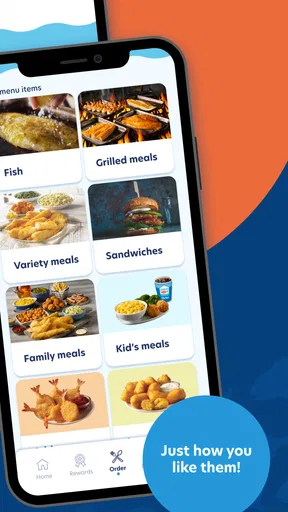
Our Review of Captain D's
 Analysis by Appyee
I tend to judge restaurant apps by one simple question: do they make ordering easier than using the restaurant’s usual alternatives? Captain D’s has a clear advantage here because it focuses on one chain rather than trying to cover every restaurant in town. Developed by Captain D's, this free Food & Drink app is designed for people who already enjoy the brand and want a more direct way to interact with it on a phone.
My overall impression is positive, but with an important qualification: its value depends heavily on how often Captain D’s is part of your routine. If you visit occasionally and want a quick way to handle an order or check what is available, it can simplify the process. If you are looking for a broad restaurant-discovery tool, a delivery marketplace, or a detailed nutrition planner, this is probably not the app I would choose first.
The app currently carries a 4.7 average from around ten thousand ratings, which suggests that many people find the basic experience useful. It has also passed one hundred thousand installs, giving it a reasonable user base for a restaurant-specific app. Those figures do not make it perfect, but they do indicate that it has become a practical companion for a noticeable number of Captain D’s customers.
How Captain D’s feels in everyday use
The first thing I appreciate is the focused purpose. Instead of making me search through a large list of unrelated restaurants, the app keeps the Captain D’s experience in one place. That matters when I already know where I want to eat and simply need to move from deciding to ordering without unnecessary steps.
For a typical weekday scenario, I might be leaving work, realize I need dinner, and want to make a decision before arriving home. A dedicated restaurant app is useful in that moment because I am not browsing for inspiration. I already have a destination in mind. The app’s role is to reduce the number of small decisions between opening it and completing the next step.
That focused design also makes it easier to build a personal habit. Rather than remembering which website to open or searching for the restaurant every time, I can return to the same app and use it as the starting point for a Captain D’s visit. For regular customers, that consistency is more valuable than a long list of extra services.
I would not describe the experience as a replacement for every way of ordering from the chain. The usual alternatives still have their place. A browser can be more convenient on a computer, while a general delivery service may be better when I want to compare several restaurants or combine an order with other plans. Captain D’s is strongest when I want a direct, brand-specific route rather than a marketplace.
A focused tool for repeat customers
The app makes the most sense for three kinds of users. First are regular customers who already know the menu and want a repeatable ordering routine. Second are families or small groups who prefer deciding together on a phone before reaching the restaurant. Third are people who want to check the restaurant’s own digital experience instead of relying entirely on a third-party platform.
For someone who visits only once every few months, the benefit is less obvious. Installing a dedicated app for a single meal can feel like extra work, especially if the same task can be completed in a browser. I would also skip it if my main goal is comparing seafood restaurants, finding discounts across different brands, or arranging delivery from whichever nearby restaurant is fastest.
That distinction is important because restaurant apps often look similar from a distance, but their usefulness comes from the habits they support. Captain D’s is not trying to be a universal food-ordering hub. Its appeal is the shorter path for a customer who has already chosen Captain D’s.
What the current release tells me
The current version is 3.2.0, and the app was released on January 20, 2023. I see that as a sign of an established product rather than a brand-new experiment. It has had time to become part of a regular ordering routine, while the version number shows that the app has continued to move beyond its first release.
I would be careful not to read a version number as proof that every part of the experience is equally polished. A newer release can improve navigation or fix problems without changing the basic character of the app. In this case, the important point is that Captain D’s has a maintained mobile presence rather than a one-off promotional download.
For existing users, that evolution is likely most noticeable in small moments: opening the app, finding the relevant restaurant information, moving through an order, or returning to a familiar screen. Those details may not sound exciting, but they determine whether I keep using a restaurant app or go back to a browser.
The app supports Android devices running version 7.0 or later. That is helpful for people using older compatible phones, although anyone with a device outside that requirement will need to consider whether updating the operating system is practical. I would check compatibility before planning to depend on it during a busy meal period.
Where it saves time, and where it does not
The main time saving comes from removing repeated searching. If I already know I want Captain D’s, I do not need to search the web, identify the correct restaurant page, and navigate through unrelated results. A dedicated app gives me a known starting point.
There is also a useful mental benefit. When I am ordering for more than one person, I can treat the app as the shared reference point: check the available choices, discuss them, and then continue once everyone has decided. That is less about a special feature and more about using the app in a disciplined way. I find it works best when I decide the order before beginning the final checkout steps.
My practical tip is to open the app before I am hungry or in a hurry. That gives me time to confirm what I want and avoid making rushed choices at the counter. It also exposes any friction early, such as needing to sign in again or discovering that my preferred restaurant workflow is not as quick as expected.
Another tip is to treat the app as a planning tool, not only a last-second ordering button. For a family meal, I can review the options while everyone is still at home, settle on a choice, and then use the app when the timing is right. This reduces the chance of starting an order while distracted in a car park or while managing children.
The trade-off with general delivery apps
Compared with a general delivery marketplace, Captain D’s offers a narrower but potentially cleaner experience. A marketplace gives me variety and makes it easy to compare restaurants, delivery fees, and estimated timing in one place. That is the better choice when I am undecided or when convenience matters more than loyalty to one chain.
The dedicated app wins when I have already made the restaurant decision. I do not need a catalogue of alternatives, and the focused interface is less likely to pull me into browsing. The trade-off is that I lose the marketplace’s broader comparison tools and may need to use a separate service if Captain D’s is not suitable for the particular occasion.
Compared with ordering through a mobile browser, the difference is more personal. A browser avoids installing another app and can be convenient for a one-time visit. The app becomes more worthwhile when I return often, want a consistent place to start, or prefer keeping restaurant tasks separate from general web browsing.
Small limitations that affect the decision
The biggest limitation is the narrow scope. Everything revolves around one restaurant brand, so the app cannot help me solve a wider meal-planning problem. If I am trying to feed a group with different preferences, compare nearby restaurants, or find a completely different cuisine, I still need another tool.
A second limitation is that a restaurant app can only be as useful as the local Captain D’s experience behind it. The app may help me begin an order or plan a visit, but it does not remove real-world factors such as location, opening conditions, or how busy a restaurant is. I would still allow extra time during a crowded meal period rather than assuming the digital step guarantees a fast handoff.
I also would not install it solely because the store summary says “The Captain is Callin'.” The phrase gives the app a recognizable tone, but the practical question is whether I visit Captain D’s often enough to justify a dedicated tool. For me, frequency of use is a better reason to install it than branding.
The Everyone age rating makes it approachable for a broad audience, including households where several people may use the same phone to decide on a meal. That does not mean every user will find it equally useful. Children may enjoy helping choose food, but an adult should still handle the final ordering decisions and check that the selected meal fits the family’s needs.
How I would use it efficiently
I would begin by installing the app on a compatible Android phone and opening it when I have enough time to explore the ordering path calmly. I would then use it for a low-pressure visit first, rather than making my first attempt during a rushed lunch break. That approach makes it easier to learn the layout and decide whether the app is genuinely more convenient than the website.
For repeat orders, I would keep my routine simple: decide what I want, open the app, review the current choices, and complete the order only after checking the selected items. I would avoid tapping through automatically just because I remember a previous meal. Menus and availability can change, and a quick review prevents an old habit from turning into an incorrect order.
For group meals, I would use the app before leaving home. Each person can state a preference, one person can assemble the final selection, and the group can confirm it together. This is a better workflow than passing the phone around while standing in line, where decisions become slower and less comfortable.
If I am comparing Captain D’s with another nearby restaurant, I would do that comparison outside the app, then return to Captain D’s only after deciding. That keeps the dedicated app in the role where it performs best: executing a known choice instead of helping me search the entire local food scene.
What existing users should expect from its evolution
People who have used the app since its earlier days should expect refinement more than a complete change of identity. The current release and its continued presence suggest an app that is being kept relevant, but the core proposition remains straightforward: a mobile connection to Captain D’s.
That is good news for users who dislike relearning an app every few months. A familiar restaurant workflow can be more valuable than a dramatic redesign. At the same time, I would like future updates to keep addressing the practical details that affect trust: clear progress through an order, understandable confirmation steps, and an easy way to recover if I make a mistake before submitting.
Those are the areas I would watch most closely. Restaurant apps earn repeat use through reliability, not through decorative changes. A new visual style may be pleasant, but a smoother return visit, fewer confusing steps, and clearer order status would matter more to me.
Who should install it, and who should pass
I recommend Captain D’s to regular customers who want a dedicated Android app for their visits. It is also worth trying if you often order for a household and prefer making the decision before reaching the restaurant. The free price removes the financial risk of testing it, and the broad age rating makes it suitable for general household use.
I would pass if I rarely eat at Captain D’s, if I mainly use iOS and need a different platform experience, or if I want one app that compares many restaurants. I would also choose a general delivery service when the meal needs to come from whichever restaurant offers the best combination of selection and convenience.
My recommendation is therefore practical rather than absolute: install it when Captain D’s is already part of your routine, not simply because you need another food app. That is when its focused design can save time instead of adding another icon to your phone.
My final take after weighing the trade-offs
Captain D’s is a sensible, specialized Food & Drink app with a clear purpose. The developer, Captain D's, has built a mobile option for customers who want a direct connection to the restaurant rather than a broad marketplace. Its strong average rating, sizable install base, free price, and current version make it an easy app to try for the right audience.
What I like most is the lack of distraction. When I have already chosen Captain D’s, a dedicated app can turn that decision into a more organized visit. The best results come from using it ahead of time, especially for repeat meals or group planning, rather than expecting it to solve every restaurant-related problem.
What keeps me from recommending it to everyone is equally clear: it is tied to one brand, and its usefulness depends on how often that brand fits your plans. For occasional customers, the browser may be enough. For people who compare restaurants or depend on broad delivery choices, a marketplace is likely better.
After considering the current state, the product’s ongoing version history, and the everyday trade-offs, I see it as a worthwhile companion for Captain D’s regulars. I would keep an eye on future releases for improvements to ordering clarity and repeat-use convenience. For now, Captain D's earns my recommendation as a focused restaurant app, provided you want a faster route to Captain D’s rather than a complete guide to eating out.
Verdict
Strengths of Captain D's
- Simple menu makes it easy to browse seafood and combo options.
- Helpful store locator can identify nearby Captain D’s restaurants.
- Order customization supports preferences for sides, drinks, and meal choices.
- Promotional offers may help reduce the cost of selected meals.
- Useful for checking restaurant hours before making a trip.
Limitations of Captain D's
- Some locations may offer limited online ordering or app functionality.
- Menus, prices, and promotions can vary by restaurant.
- Delivery availability depends on participating locations and service areas.
- The app may require location access to show nearby restaurants accurately.
- Account creation can feel unnecessary for users placing occasional orders.
Similar Picks in This Category
View All
Rappi: Food Delivery, Grocery
Rappi, Inc - Delivery3.5

McDonald’s: Cupons e Delivery
Arcos Dorados4.3

Swiggy: Food Instamart Dineout
Swiggy4.7

Blinkit: Groceries & more
Blinkit4.8

foodpanda: food & groceries
Foodpanda GmbH a subsidiary of Delivery Hero SE4.0

Zomato: Food Delivery & Dining
Zomato4.7
Frequently Asked Questions
What is Captain D’s, and what can I do with the app?
Captain D’s is the official mobile app for the Captain D’s seafood restaurant chain. It is designed to help customers browse the menu, find nearby restaurants, check available deals, and place qualifying orders for pickup or other supported ordering options. Features may vary by location, so the app is most useful for confirming local menu items, prices, hours, and ordering availability before visiting.
Can I order Captain D’s food for pickup or delivery through the app?
In supported locations, the Captain D’s app allows customers to place orders for pickup and may also provide delivery through participating restaurants or third-party delivery services. Availability depends on your address, restaurant hours, staffing, and local partnerships. Before paying, review the estimated preparation time, service fees, taxes, and final order total, since these details can differ between pickup and delivery.
Does the Captain D’s app offer coupons, rewards, or special deals?
Captain D’s may provide digital coupons, promotional offers, or loyalty-related benefits through the app, depending on the current program and your location. Some offers require an account, have expiration dates, or apply only to selected menu items and ordering methods. It is worth checking the deals section before completing an order, because promotions may not always be combined.
Do I need to create an account to use Captain D’s?
You may be able to browse restaurants, menus, and general information without creating an account. However, an account can be required for certain features, such as saving favorite locations, managing personal details, receiving personalized offers, or placing orders through the app. If you register, use an email address you regularly access so you can receive confirmations and manage your account more easily.
Are menu items, nutrition information, and prices accurate in the Captain D’s app?
The app is a convenient way to review Captain D’s menu, but prices, availability, ingredients, nutrition details, and allergen information can change by restaurant and over time. Limited-time items may disappear without notice, and customization options may vary locally. Customers with food allergies or dietary restrictions should verify information with the restaurant directly before ordering, since cross-contact may be possible.
